Starting the Studio
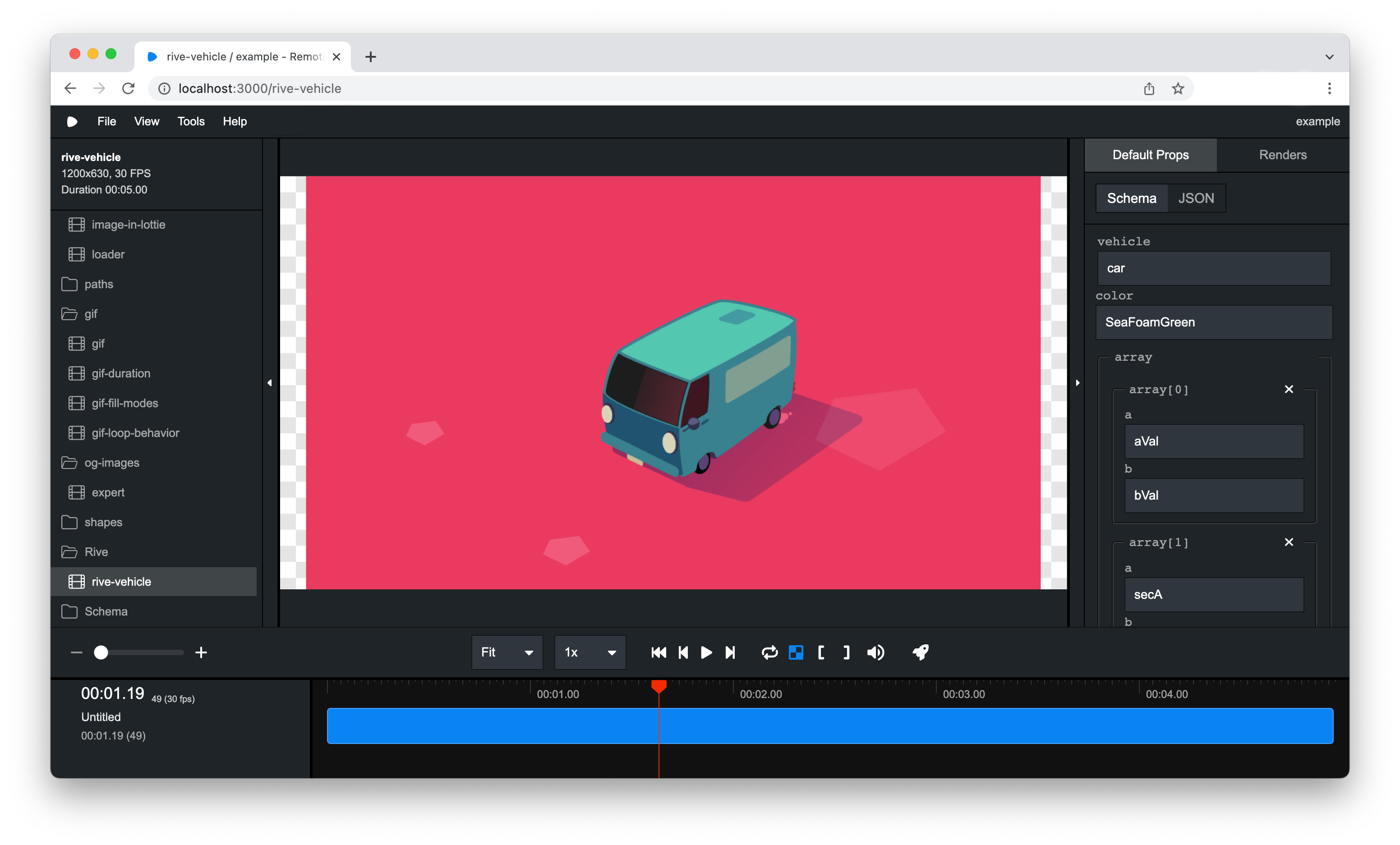
Using the Remotion Studio, you can preview your video, and if a server is connected, even render the video.
Using an AI agent
If you use a coding agent such as Claude Code, Codex or Cursor, install the Remotion plugin for it.
Then invoke the /remotion-studio skill:
The agent will start the Studio and open it in your browser, or in its in-app browser if it has one.
Using the terminal
Prerequisites
The Remotion CLI is required to start the Studio from the terminal.
Most templates have it out of the box, but you can install it by running the following command in your terminal:
- npm
- pnpm
- yarn
- bun
npm i @remotion/clipnpm i @remotion/cliyarn add @remotion/clibun i @remotion/cliLaunching the Studio
You can start the Remotion Studio by running the following command in your terminal:
- Regular templates
- Next.js and React Router 7 templates
npm startnpm run remotionThis is a shorthand for the studio command of the Remotion CLI:
npx remotion studioSee the available options here.
A server will be started on port 3000 (or a higher port if it isn't available) and the Remotion Studio should open in the browser.
Browse Elements
You can browse and use Elements directly inside Studio. Browse Elements includes the first-party Remotion Elements and can include third-party Element Libraries.
Setting a license key
Go to Settings... → License and choose your license. It is saved to your config file using Config.setPublicLicenseKey().
See Telemetry for other environments.